

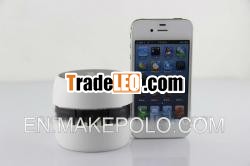
Description:
wifi camera but don't need wifi netfor iPhone, Android, or pc with wifi
with an authorized Apple
640*480
No need wif
WIIFI camerafor iphone / android
Product Description
Theonly one small wifi camera in the world , thisproduct is different with other wifi camera in the market , it dono need the wifi network and wireless router , just any phone andtablet PC with WIFI funtion , then you can connect our wifi camera, and use it very well , like bluetooth
KeyFeatures
GOOGO™ mini wifi camera can be usedwithout any external network , such as WI-FIrouter.
WIFI camera for iphone/ipad/Android, or computer1, WIFI camera is the only WiFivideo monitoring camera designed for your home. Easy to set up andview from your iPhone, Android, or computer.2, No special software. No extracomputers running3, Watch video on your iPhone,iPad, iPod Touch, Android phone with the freewifi babymonitor for iphone/ipad/anfroid
- Different withordinary 2.4GHZ baby monitor, WIFI camera doesn’t need display toreceive image, rendering your smart phone to receive image at anytime.
- Different with IPCamera, WIFI camera doesn’t have complex setting debugging. Justanyphone and tablet pc with WIFI , even without nonetwork
- Different with carrecorder, WIFI camera doesn’t need to take out memory card to copyvideos and images. In contrast, your smart phone may conduct timelyplayback, and upload it on the internet
- Different withother wireless lens, WIFI camera absolutely guaranteeing yourprivacy. More importantly, image signal will not be intercepted orstolen.
Product Details
The GOOGO™ software can be faultless applying based on the IOSand ANDROID system smartphone and tablet computer, the GOOGO™ haspassed the audit of the APP STORE and AMDROID MARTKET , the GOOGO™software is installed for the use of GOOGO CAMERA , it have beentested that will not be harmful to the smartphone and the tabletPCs based on IOS and ANDROID.
All GOOGO™ software content ( include text , pictures , sound ,video , and the program''s copyright belongs to the patent ownersstated GOOGO™ software and product packaging.
GOOGO™ CAMERA is the first camera can be connected with IOS andANDROID smartphone and tablet PC by the WI-FI functionality forpeer-to-peer communications. GOOGO™ software can change thepassword on their own by the customer on phone and tablet PC , andGOOGO™ CAMERA can take photographs and record the audio and video.GOOGO™ CAMERA can be used without any external network , such asWI-FI router.
Product Features
wifibaby monitor for iphone/ipad/anfroid
The distance of the role is perfectly suited to the WI-FI.Alliance under the distance within the range of100M.
It apply to traffic safety , baby care , home safety , smallrange troops battlefield alert , wild life , office sensitive sitesmonitoring. It has portability , security , privacy , independence, low radiation , low power consumption and transport large numbersof data
Camera: CMOS, 0.3MegaPixels
Post: Mini 5pinUSB
Interal Memory:NO
Buit-in Lithium:>800MAH
Working Time:4hrs
harging Voltage:DC-5V
application amount: 100M in open area, 30M in crowdedarea
Software: GOOGO in APP store and PLAYstore
Power: Ingegrated Rechargeable Lithium Polymer Battery;
Usermanual
For iphone and ipad :
Entering into APP store, download GOOGO software in searchengine and install the Application software.
Entering into Google’s PLAY store, download GOOGO software insearch engine and install the Application software.
Open GOOGO CAMERA:
please refer to steps showed below: (Switch rear button toPOW for battery supply or USB for external power supply, then bluelight flick and it start working)
For Mobile Phone or table PC:
Setting---Open WIFI---Search GOOGO CAMERA---Input original password8888888888---Connect
Turn to API : Click GOOGO Application Icon ---Find menu in VideoInterface---Set password

