

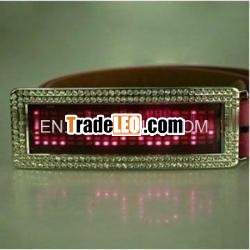
Description:
programme message by youprogramme simple words and informations
shine and fashion decoration
simply to use
CE&ROHS passed
flashing led display words belt buckles, led beltbuckles, flashing led belt buckle, led words beltbuckles
led belt buckles detailinformations:
Hold UP To 6 Messages In Memory
- More than 25 hours continuous Battery Life
- 7*21 Resolution
- 9 Different Scroll Speed and brightness
- With flash, hold, up to down, left to right, right to left
- Just manual program with three onboard buttons
--more coors for your choice like red, blue, amber, Jade green,pink, white and multic color.
--new models.
USER’ MANUAL OF LED MUSIC DISPLAY BADGE
1. Power switch is ON/OFF(ENTER), USED 2 CR2032 BATTERYS, Pleasechange the battery When the brightness is not enough or can’tdisplay;
2. The badge can display 4 modes along with the music:
A. Music Equalizer B. Music Column
C. Swing D. Rhythm
3. The badge can also display scrolling text as former one;
4. Key information: There are 3 keys in this badge (MusicMode):
If you use in text mode, the keys are the same as former one
*****/OFF(ENTER) 2. SWITCH(PID) 3.SWITCH(PID)
(1).When you press SWITCH(PID) key in the scrolling mode of textmode, the badge is switched to the music mode; and also when youpress this key in display mode of music mode, the badge is switchedto the text mode;
(2).Press MODE key, the badge will change the music display modesin music mode, from A-B-C-D repeatedly;
(3).Press ON/OFF(ENTER) key, the badge is switched between displayON and OFF.;
5. Specification
Size: 118X37MM
Display Matrix: 7X21dots
Color: You can chose red, blue, white, yellow , yellow-green ,jade-green , pink
7 colors, or mixed colors.
Power: 2 CR2032 Battery programminginstructions:
INPUT: Input the content of thetext.
Press ENTER when the LED beltbuckle display shows INPUT tostart programing the currently selected memory location. (seeSWITCH above to select which memory location toprogram).
Input character by PAGE UP (PU)or PAGE DOWN (PD), press ENTER to confirm it and move on to thenext character in the message.
If you wish to repeat acharacter, then after you have selected the character for the firsttime and pressed ENTER, the same character appears once more as theeditable next character to program. Press PAGE UP (PU) once toscroll to the next character in the selection, then press PAGE DOWN(PD) once to come back to the original character. Press ENTER tofinalize the selection.
If you need to add a space, pressENTER again.
If you need to delete the lastcharacter entered, press and hold ENTER for 3 seconds, thecharacter is deleted when the LED belt buckle resumes to stillstate.
To finalize the message and exitprogramming mode, press PAGE DOWN (PD) for 3 seconds or simply wait10 seconds, the LED belt buckle display will exit operation andshow the message automatically.
SPEED: Adjust the move speed.
Enter choice menu, show SPEED byPAGE UP (PU) or PAGE DOWN (PD) to select how fast from the number1-9 you want the currently selected message to scroll across theLED belt buckle, then press ENTER.
The number on the right is forthe speed, adjust the number by PAGE UP (PU) or PAGE DOWN (PD),press ENTER to /confirm/i.
Adjust the luminance.
1. Enter choice menu, show LUM byPAGE UP (PU) or PAGE DOWN (PD) to select how bright you want thecurrently selected message to be displayed on the LED beltbuckle.
2. The number on the right showsthe brightness grade, adjust the number between 1-9 by PAGE UP (PU)or PAGE DOWN (PD), press ENTER after adjusting.

